18th Judicial Circuit e-filing instructions
Governed by the Florida Courts E-Filing Authority, the Florida Courts E-Filing Portal serves as a single, statewide access point connecting thousands of users to Florida’s court system.
Cover letters must be submitted in .pdf format. The proposed orders must be in .docx format using DJMCA formatting codes.
e-filing Portal
Login to the Florida courts e-filing portal and click the “E-filing map” icon then follow further instructions.
DJMCA Instructions
DJMCA is how the Seminole and Brevard filing review systems identify where to place signature and signature dates.
Video Tutorial
Learn how to file electronically through the Florida Courts E-Filing Portal. with this step-by-step video tutorial.
Note: E-filing communications may come from email address workflow@flcourts18.org. Make sure this address is allowed by your firewall / email server.
Procedure for Submitting Proposed Orders in Seminole County
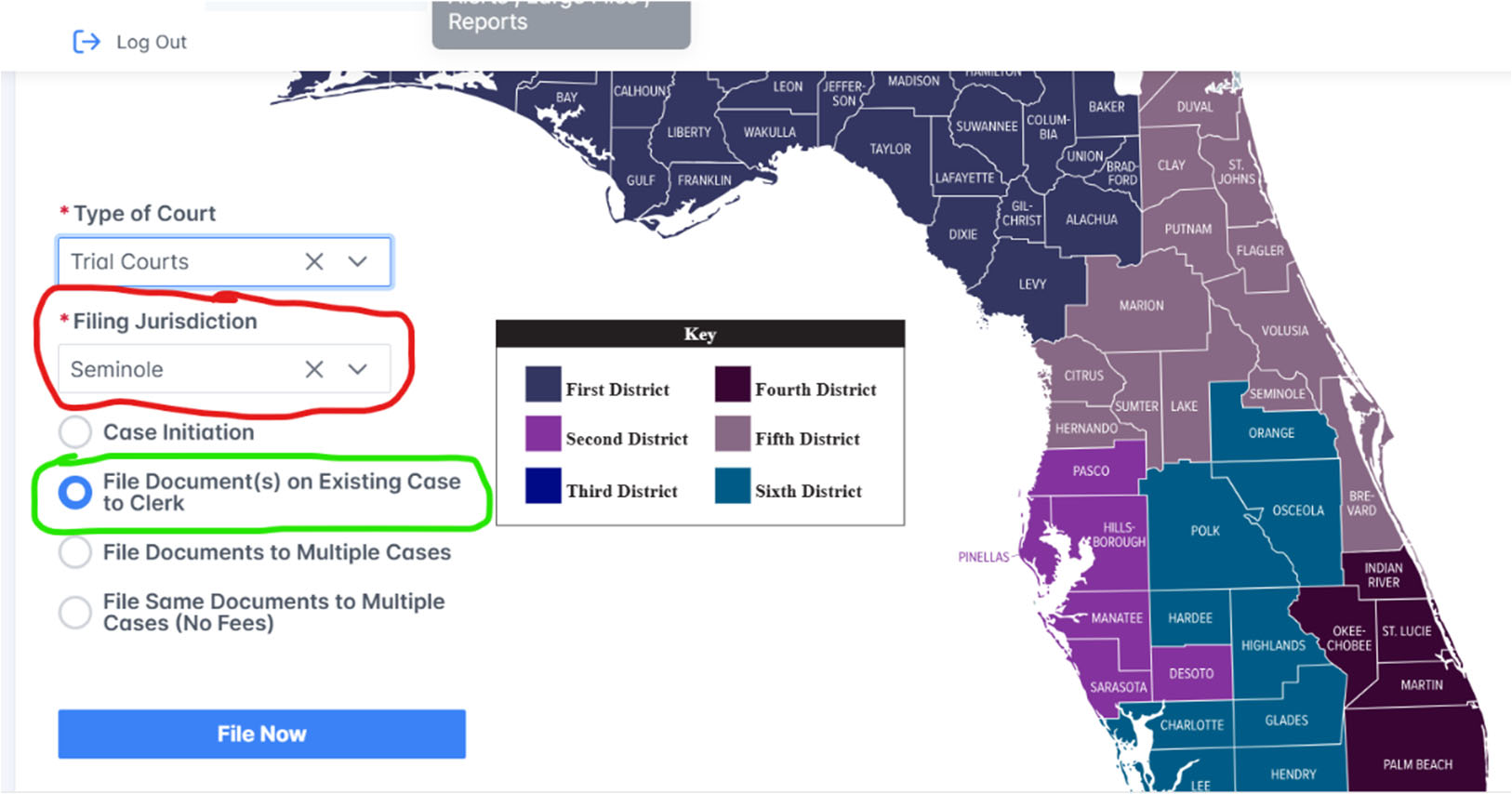
- From e-Portal main filing page, select click the arrow, and select “Trial Courts”
- Click the arrow, and select “Seminole” or “Brevard” for the county (see map, red circle)
- Click on “File Documents on Existing Case” (see map, green circle)
- Proposed orders must be submitted in Microsoft Word, with 1” margins all the way around, and in the .docx format (all lower case letters, file name, no other punctuation and .docx).
- Please see judges Policies and Procedures for cover page requirements. (Cover page format must be .pdf and there must only be 1 period in the file name)
- DJMCA FORMAT: DJMCA is how ICMS knows where to place signature and signature dates.
- You must use the two codes as pairs (e.g., JJJJ & DDDD for Judge’s signature)
- The codes must be all capital letters.
- You must add all 4 letters for each field.
- These codes should only be used once per line. Two codes per line will not work.
DJMCA Codes in pairs:
Download the complete set of instructions and view sample illustrations Below
Submitting an Appendix in Seminole County
For “backup” documents
- The appendix must be a .pdf file
- On the first page,
- Make sure the Case Number is prominently displayed
- Also make sure it reads: Appendix for [the name of the order it should follow]
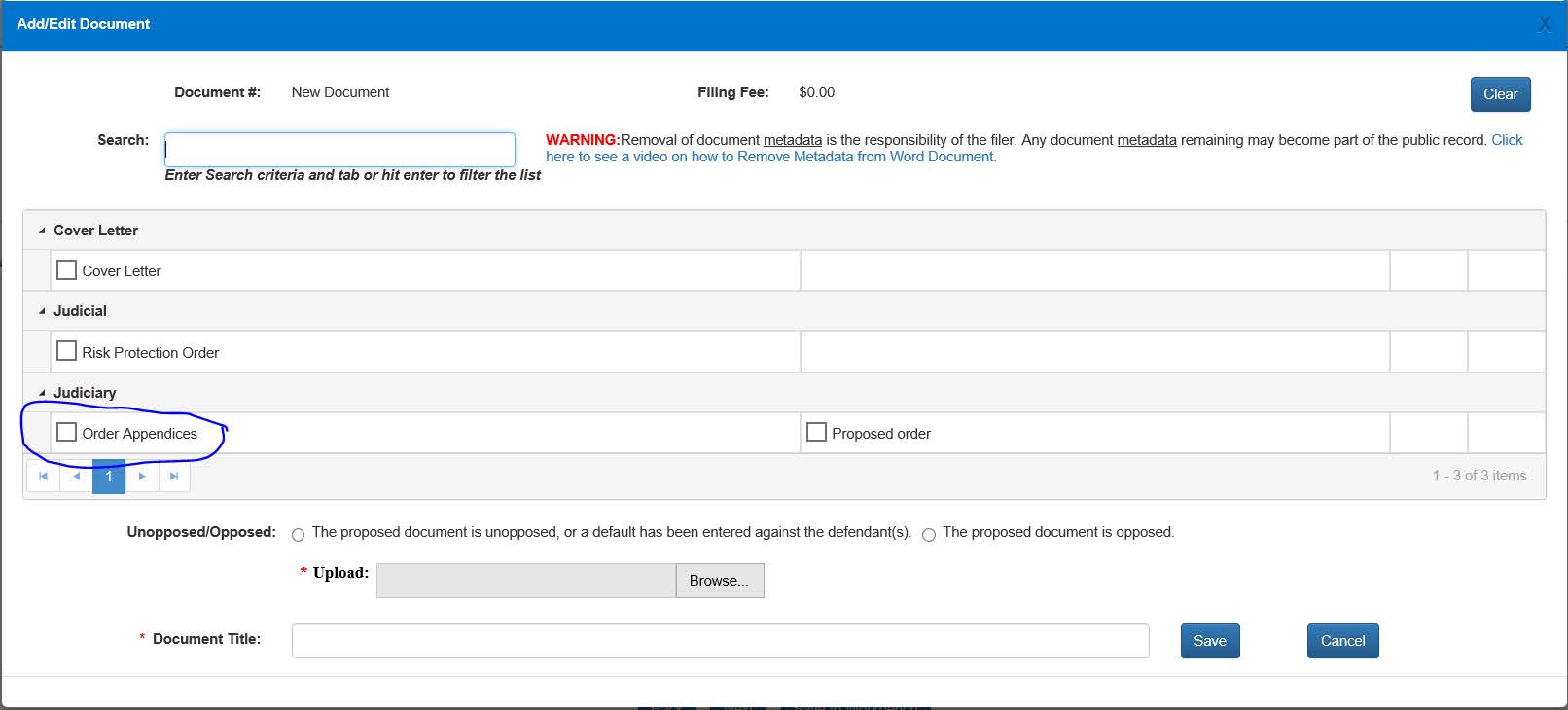
- Select “Order Appendix” (see image below) for the document type
For Portal support, use this link: https://www.myflcourtaccess.com/Common/UIPages/Contactus.aspx